





The Debt Payoff
Tracker
Digital spreadsheet for Google Sheets
Join others who’ve purchased the Debt Payoff Tracker.
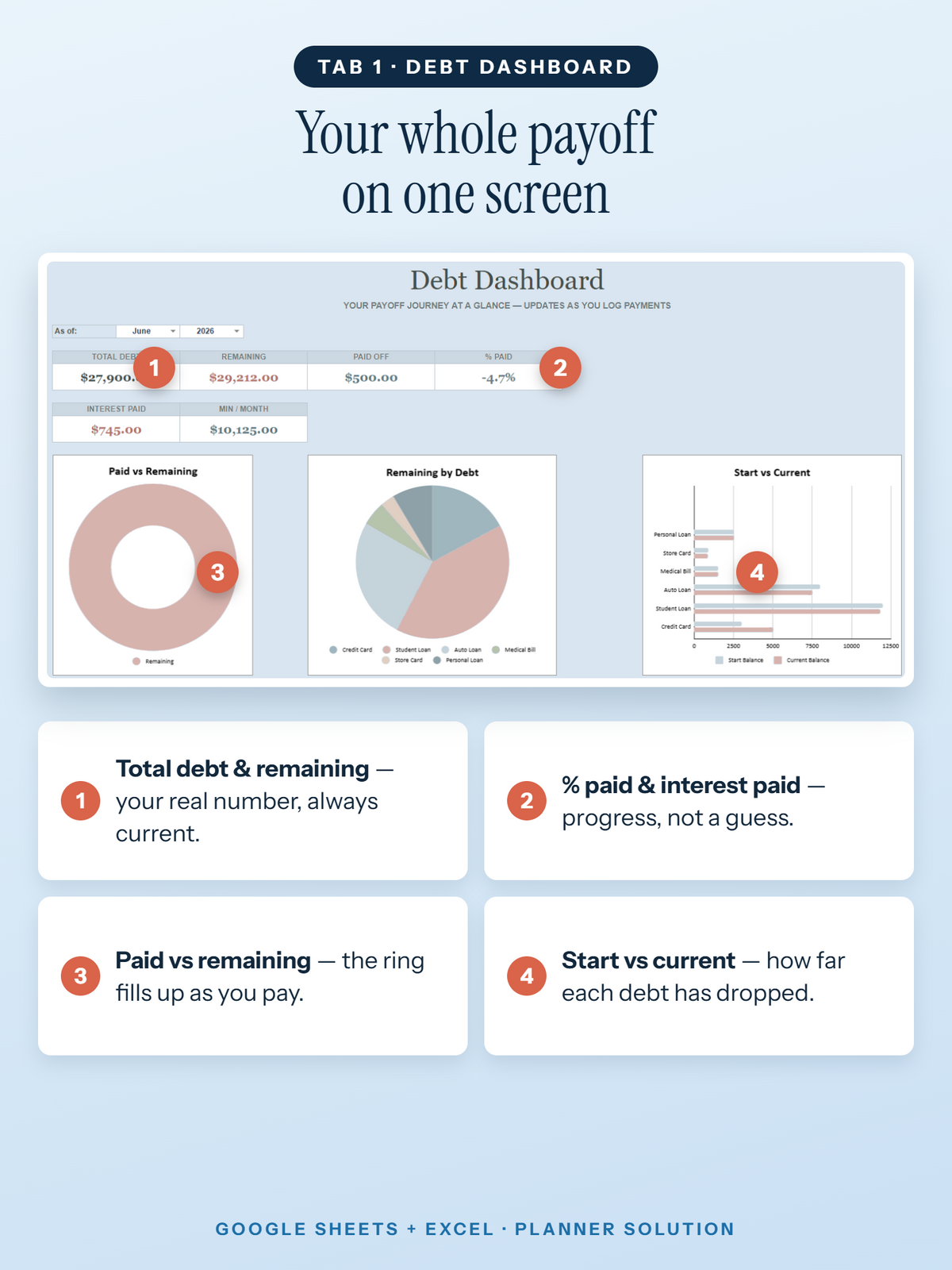
Organize your debts, track your payments, and follow your payoff plan in one place.
- All your debts in one clear dashboard
- Snowball & Avalanche methods built in
- Works in free Google Sheets
$29.99
$39.99
Secure checkout · Safe payment


Perfect for you if…
-
You have multiple debts and want one place to organize them.
-
You’re unsure which debt to focus on first.
-
You want to track your payments and see your payoff progress.
Instant download — start in minutes
•
14-day money-back guarantee
•
Customer support 24/7
•
Secure checkout
•
Lifetime access — one-time payment
•
Works in free Google Sheets
•
Instant download — start in minutes
•
14-day money-back guarantee
•
Customer support 24/7
•
Secure checkout
•
Lifetime access — one-time payment
•
Works in free Google Sheets
•


How you receive it
Get Your Tracker by Email
Receive your access link, create your own copy, and start using your tracker in Google Sheets.
-
Complete your purchase
Enter your email address at checkout so we can send you the tracker link.
-
Check your email
Open the delivery email and click the link to access your tracker.
-
Make your copy & start
Sign in to Google, make your own copy, and start entering your debt details.
Digital product · Google account required · No physical item shipped
Instant download — start in minutes
•
14-day money-back guarantee
•
Customer support 24/7
•
Secure checkout
•
Lifetime access — one-time payment
•
Works in free Google Sheets
•
Instant download — start in minutes
•
14-day money-back guarantee
•
Customer support 24/7
•
Secure checkout
•
Lifetime access — one-time payment
•
Works in free Google Sheets
•
Before you buy
Frequently Asked Questions
What’s included, how to access it, and how it works.
What exactly is included?
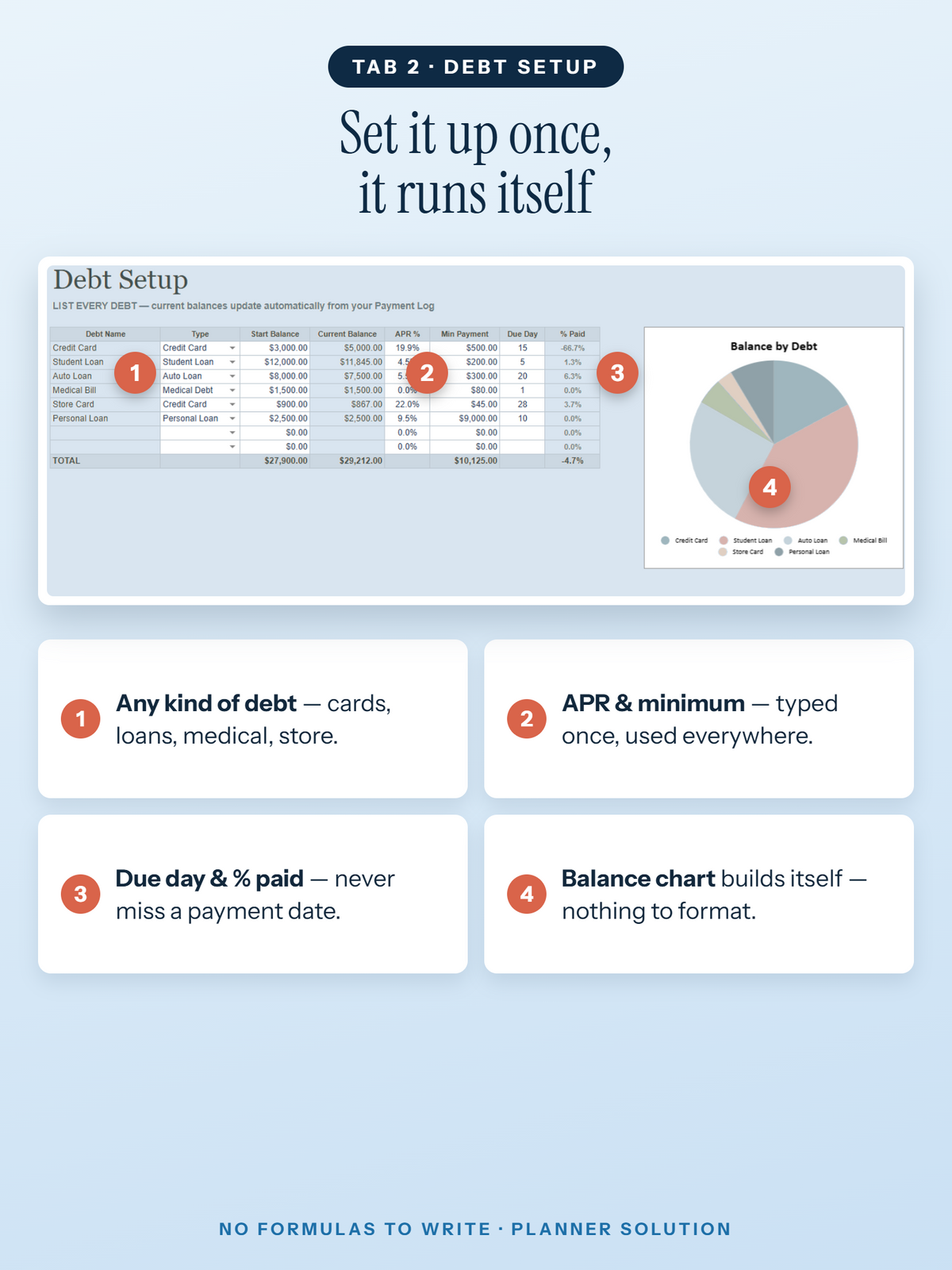
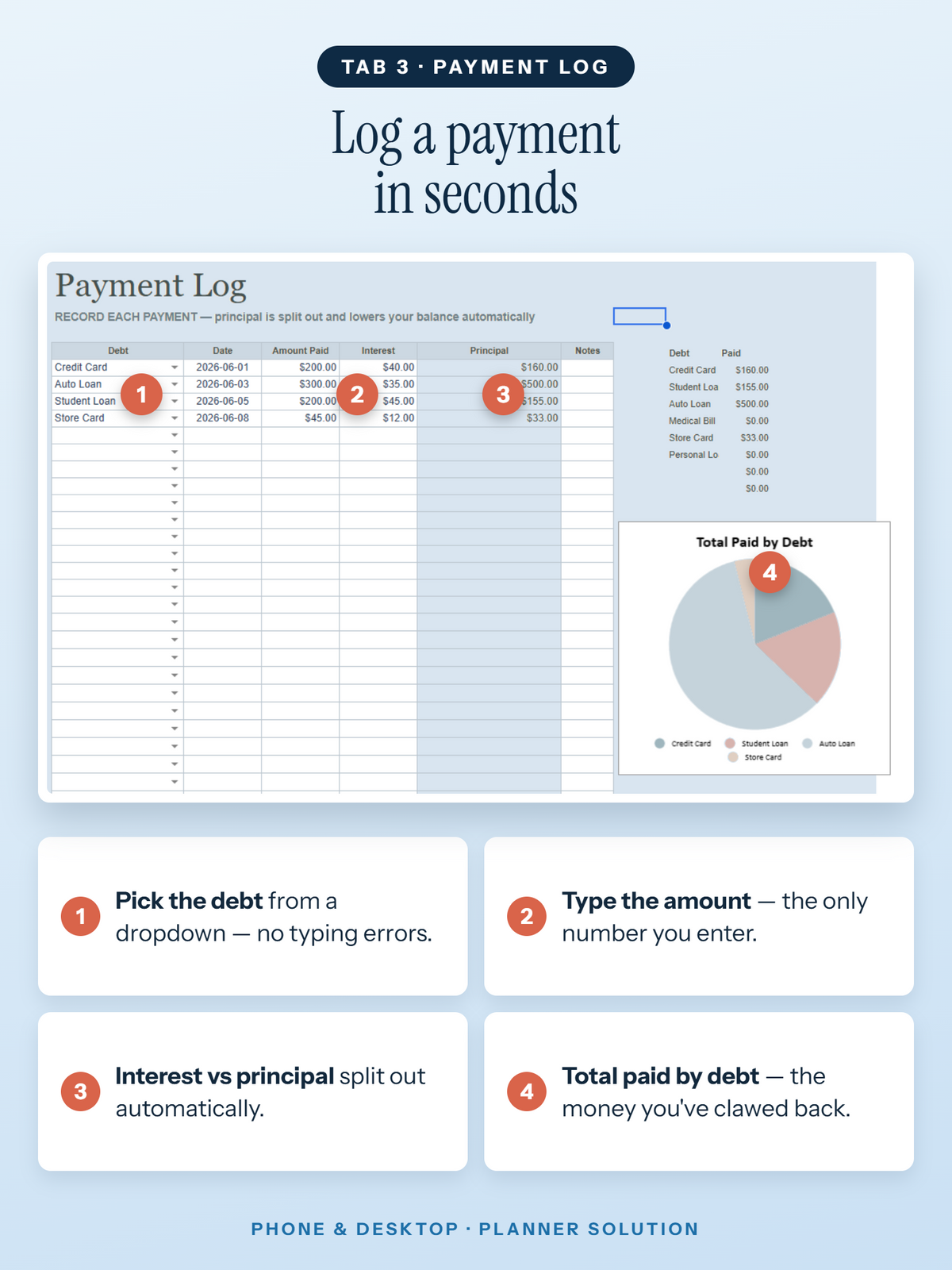
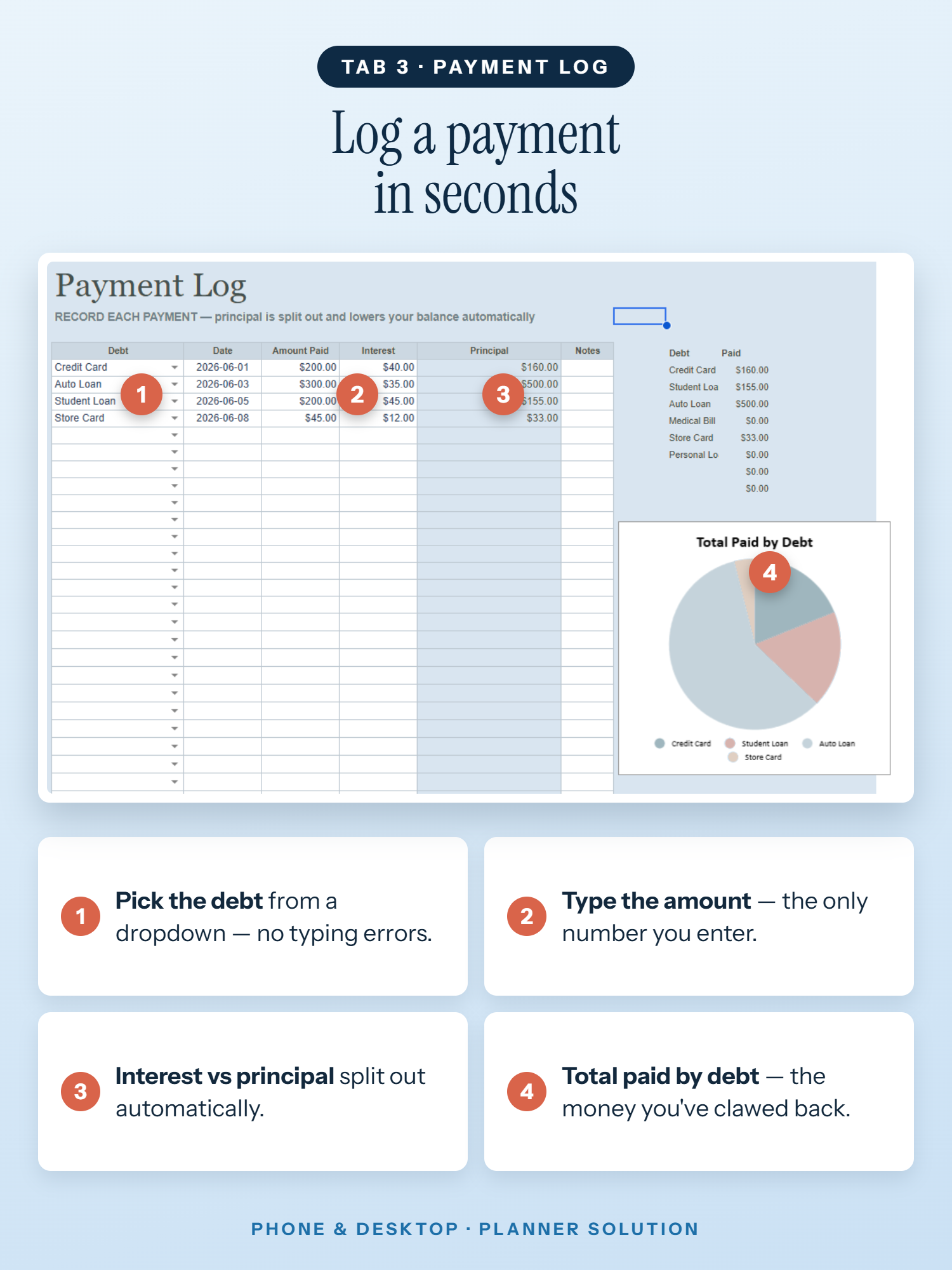
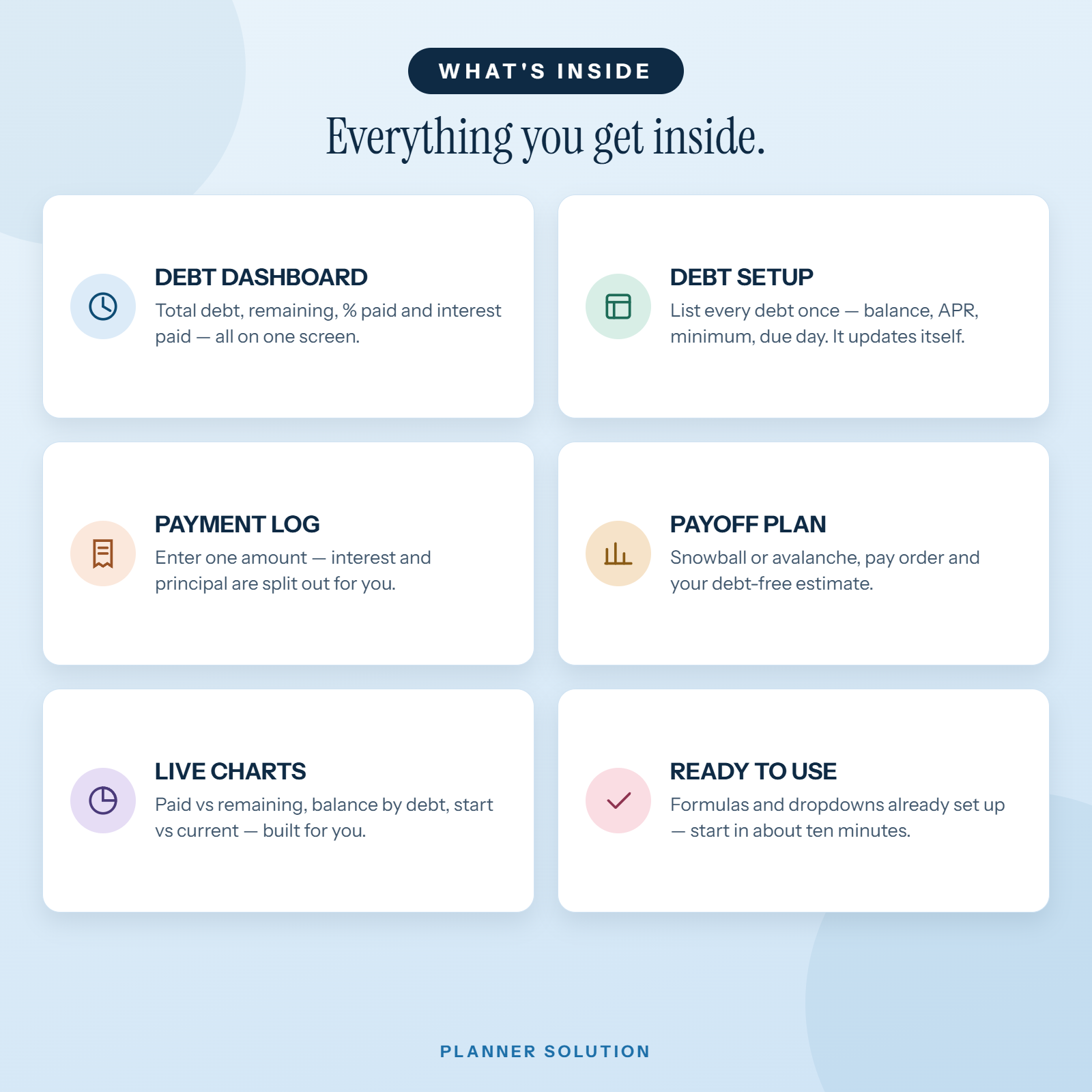
The tracker includes four main tabs: Dashboard, Debt Setup, Payment Log, and Payoff Plan. It also includes a Start Here guide and a Lists tab that supports the spreadsheet’s options.
Is this a digital or physical product?
This is a digital spreadsheet for Google Sheets. No physical planner or printed item will be shipped.
How do I receive and open my tracker?
After purchase, we’ll send the access link to the email address you enter at checkout. Open the link, sign in to your Google account, and create your own copy before entering your information.
If you cannot find the delivery email, check your spam or promotions folder and contact us for help.
Do I need experience with spreadsheets?
You don’t need to build the spreadsheet from scratch. Follow the Start Here instructions and enter your information in the white input cells. Leave the coloured calculation cells unchanged so the built-in formulas can work.
What information do I need to enter?
In Debt Setup, enter each debt’s name, type, starting balance, APR, minimum payment, and payment due day. In Payment Log, record the debt, payment date, amount paid, and interest portion.
Keep your entries accurate and up to date—the tracker’s calculations depend on the information you provide.
Does it connect to my bank or record payments for me?
No. This tracker uses the debt details and payments you enter manually. It does not make payments for you or automatically import transactions from your bank.
The built-in formulas use your recorded information to calculate balances and repayment progress.
What’s the difference between Snowball and Avalanche?
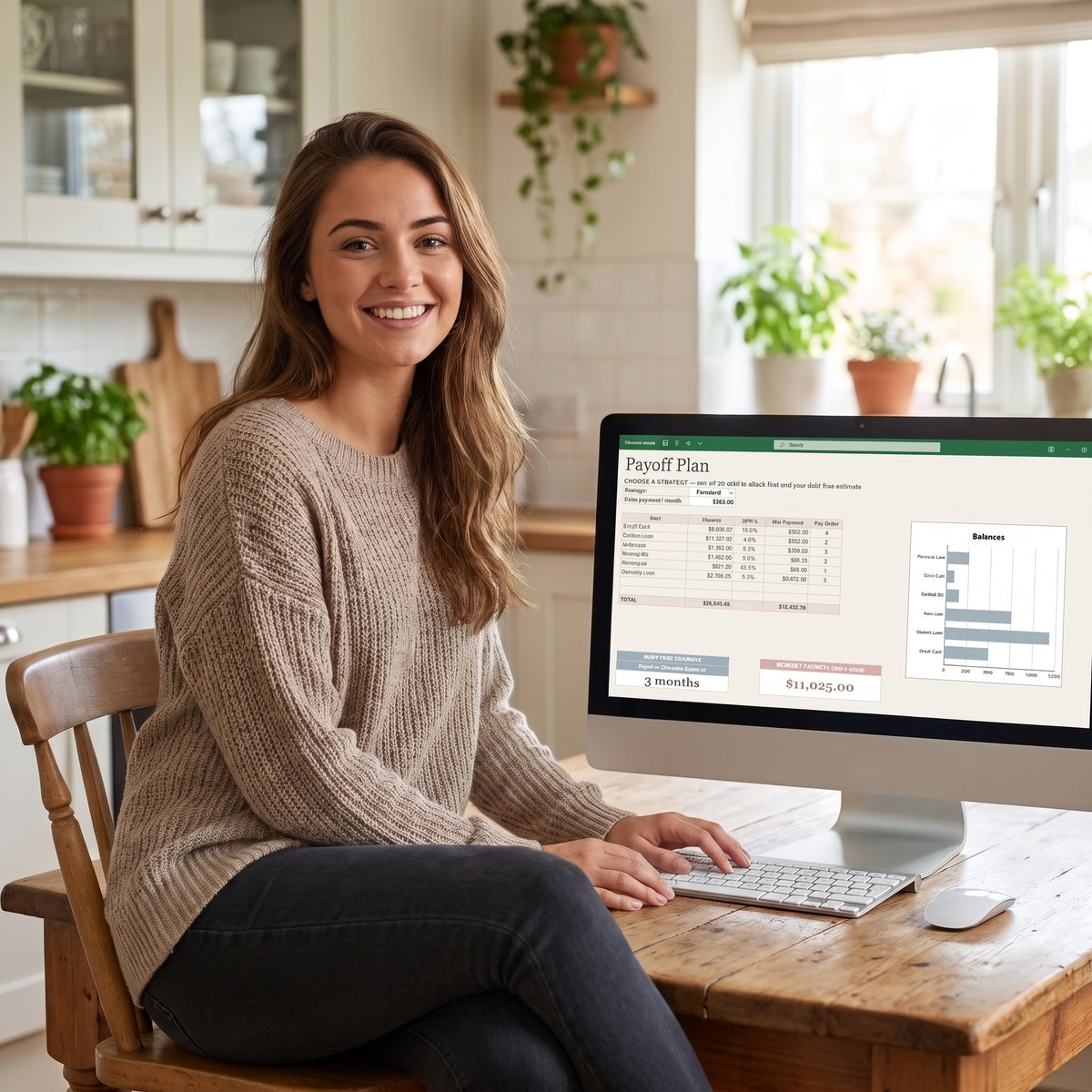
Snowball prioritizes the smallest balance first. Avalanche prioritizes the highest APR first. You can select your preferred method in the Payoff Plan tab and enter an extra monthly payment amount to use in the estimate.
Is the debt-free estimate a guaranteed date?
No. The current tracker provides an approximate number of months based on your recorded balances and total monthly payment amount, including any extra payment you enter. This estimate excludes interest.
It is a planning reference, not a guaranteed payoff date. Interest, fees, new borrowing, or changes to your payments can affect the actual time needed.
Which currency does the tracker use?
The template is formatted in US dollars (USD). It does not include currency conversion. Use consistent currency values throughout your entries.